

Practice First: Financial Statistics Dashboards System Excel Dashboard Dataset
The purpose of this guide is to provide a practice dataset for building the Financial Statistics Dashboards System as a professional Excel Dashboard. Use this spreadsheet dataset to follow the steps and recreate the dashboards while learning how financial KPIs, charts, and indicators are structured.
This dataset allows you to experiment with dashboard layouts, modify charts, and customize key performance indicators based on your own business scenarios.
How This Dataset Fits Your Dashboard Workflow
The structure of this dataset can easily be adapted to different analytics tools. After building the dashboard in Excel, the same dataset can be reused for business reporting, data visualization, or presentation dashboards.
Why This Template Works
This Microsoft Excel template is designed for analyzing financial performance using a clear and structured dataset. All values, labels, charts, and dashboard elements are fully editable directly in Excel without requiring VBA or advanced scripting.
Key Features
- Analysis across more than 47 financial data categories
- Notes and guidance included for easier dashboard building
- Hyperlink navigation buttons
- Optimized layout for widescreen and Full HD displays
- Preview images included for reference
- Free fonts and icons included
- Fully editable objects and data tables
Dashboard Contents & Analysis
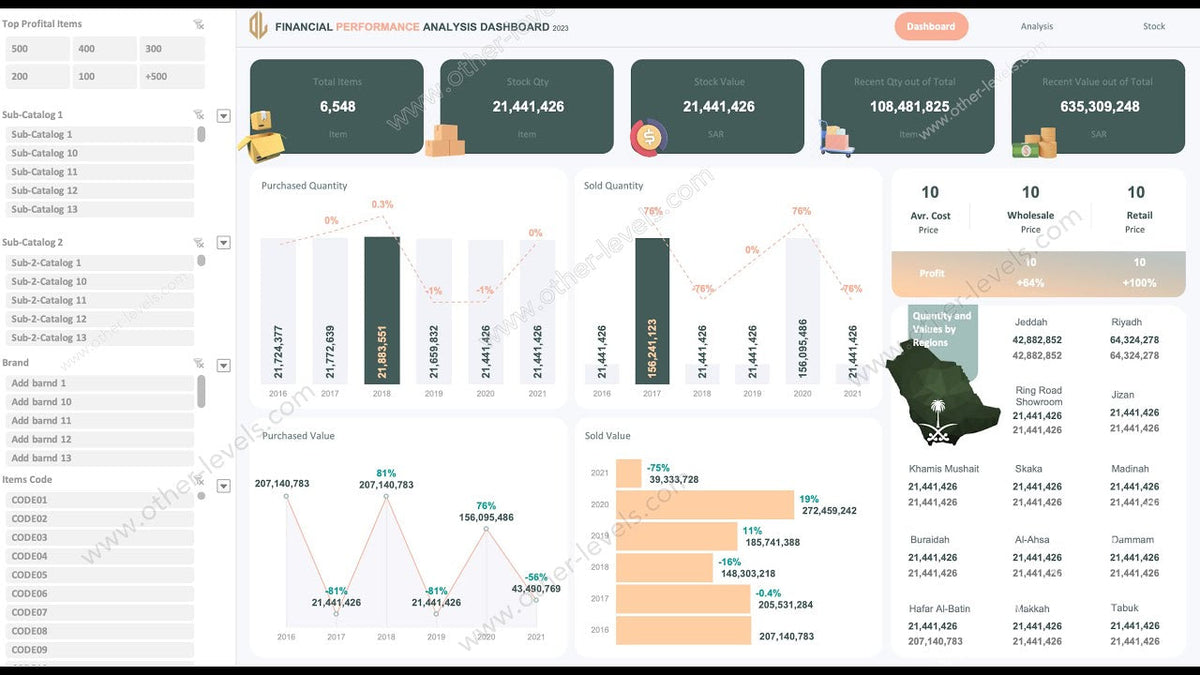
Income Sources Dashboard
- Dynamic chart displaying all income sources with top source highlight
- Doughnut chart showing achieved percentage vs target
- Total income and target indicators with monthly income trend chart
- Counts and percentages of income categories
- Average monthly income analysis
Profits by Countries Dashboard
- Interactive geographic map highlighting the most profitable country
- Tax analysis and performance indicators
- Doughnut chart showing target achievement percentage
Sales Process Status Dashboard
- Sales pipeline visualization showing each stage of the sales process
- Total sales vs target indicators
- Refunded orders percentage analysis
- Sales performance by point of sale
- Order distribution by sales channel
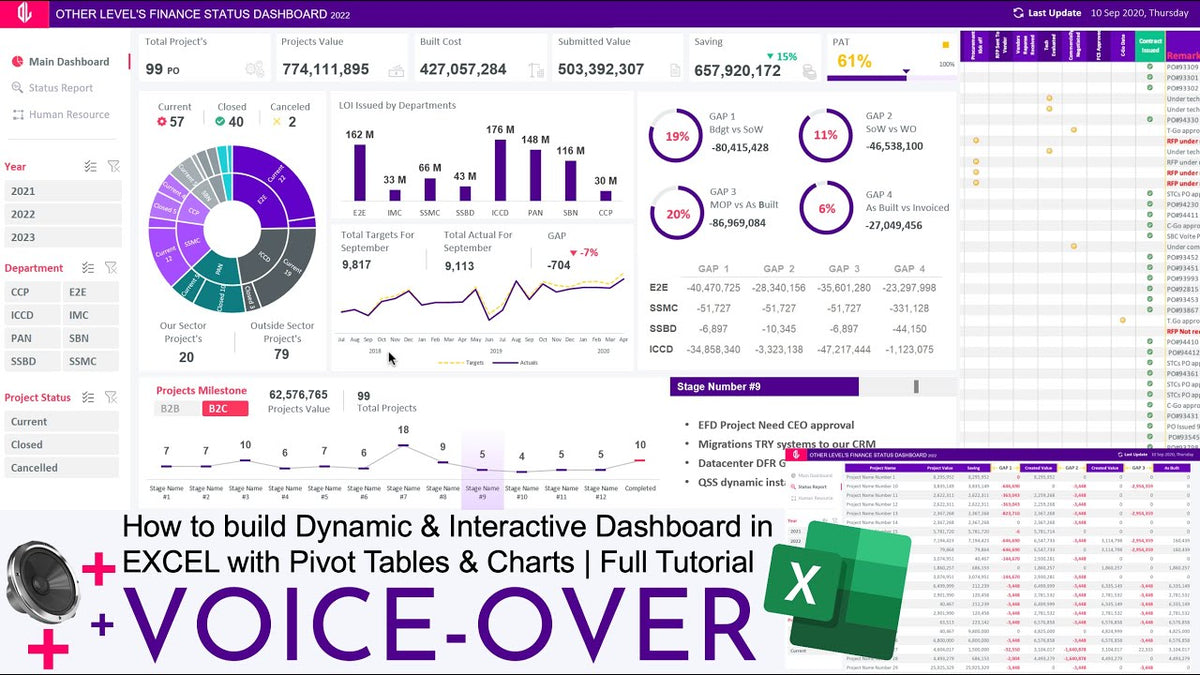
Projects Workflow Report
Key performance indicators presented in a structured dashboard layout, automatically updated from the dataset tables.
Package Includes
- Excel file (.XLSX) – 1.2 MB
- Instruction file
- Help and contents documentation
- Dark theme dashboard design
- Four database tables (single sheet)
- Pivot tables and formulas (single sheet)
- Four dashboard sheets

Share:
Sales Performance Systems Excel Dashboard Dataset
Sales Performance Metrics Dashboard
8 comments
There doesn’t ever seem to be any comprehensive or dynamic dashboards built for non-financial purposes for example if you’re doing analytics against NDT wire rope to determine whether or not the wire rope is degraded overtime cost to replace time out of service, etc. there is nothing all dynamic dashboards are focussed on financials. It would be nice to see based on a different type of metric that has more complex to analyze.
That dataset contain only one table were is other tables.
When i tried to download the dataset, i could access only Income Source data. Rest three datasets were not available. Is there a possibility that i can get access to the rest of the datasets ? If yes, kindly share.
Pls I need access to the 4th dashboard the workflow report thank you
I only can find finacial dataset but i cant find geographcally ect!?