

E-commerce Online Store Feasibility Study Excel Template
E-commerce Online Store Feasibility Study – Excel & Google Sheets Financial Model
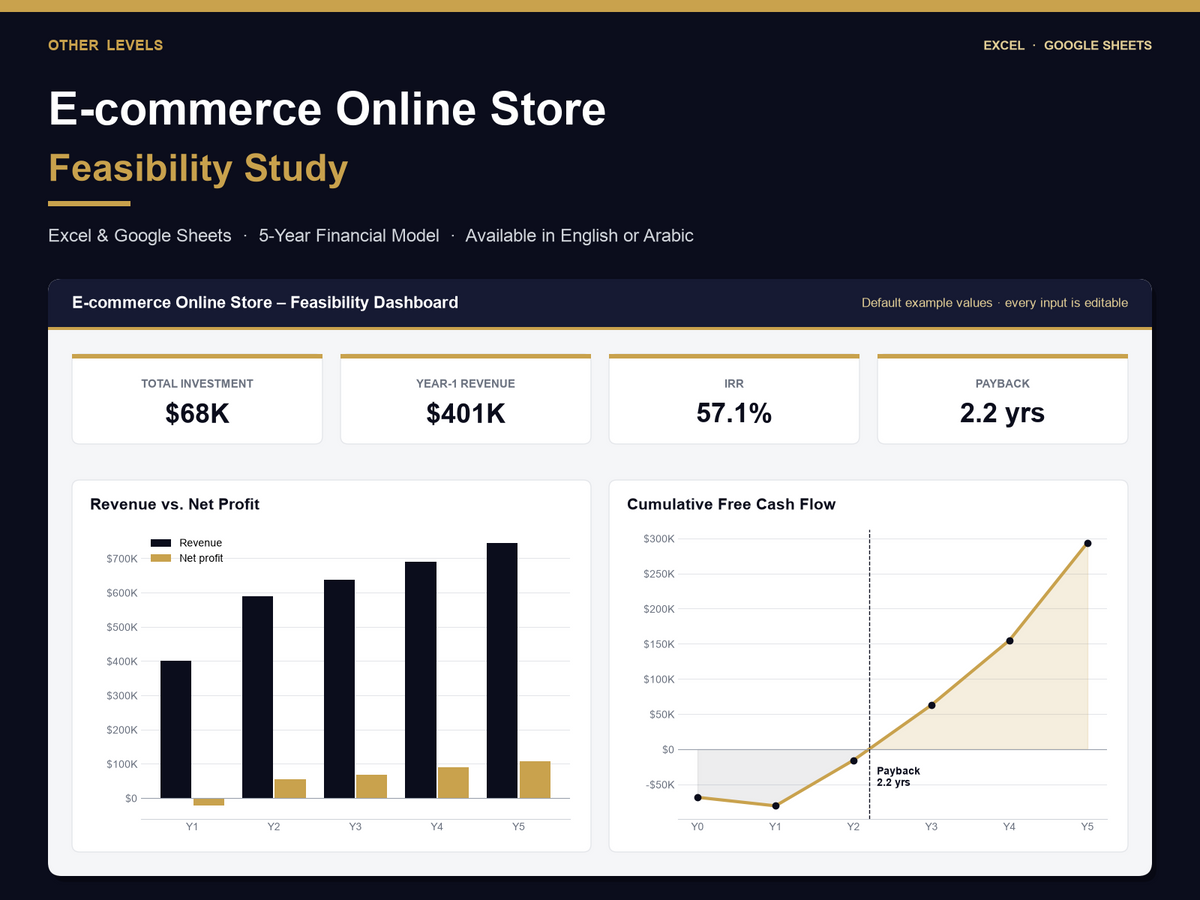
Planning to open a e-commerce online store? This ready-made feasibility study template turns your numbers into a complete 5-year financial plan: investment, revenue, costs, loan, income statement, cash flow and return on investment. Change the yellow input cells and every table, KPI and chart updates automatically.
It comes pre-filled with a realistic example for a small-to-medium e-commerce online store (revenue lines such as best-selling product line, premium product line, accessories & add-ons, bundles & gift sets), so you can see a finished study first and then replace the figures with your own prices, rent, salaries and local costs. Works in any currency.
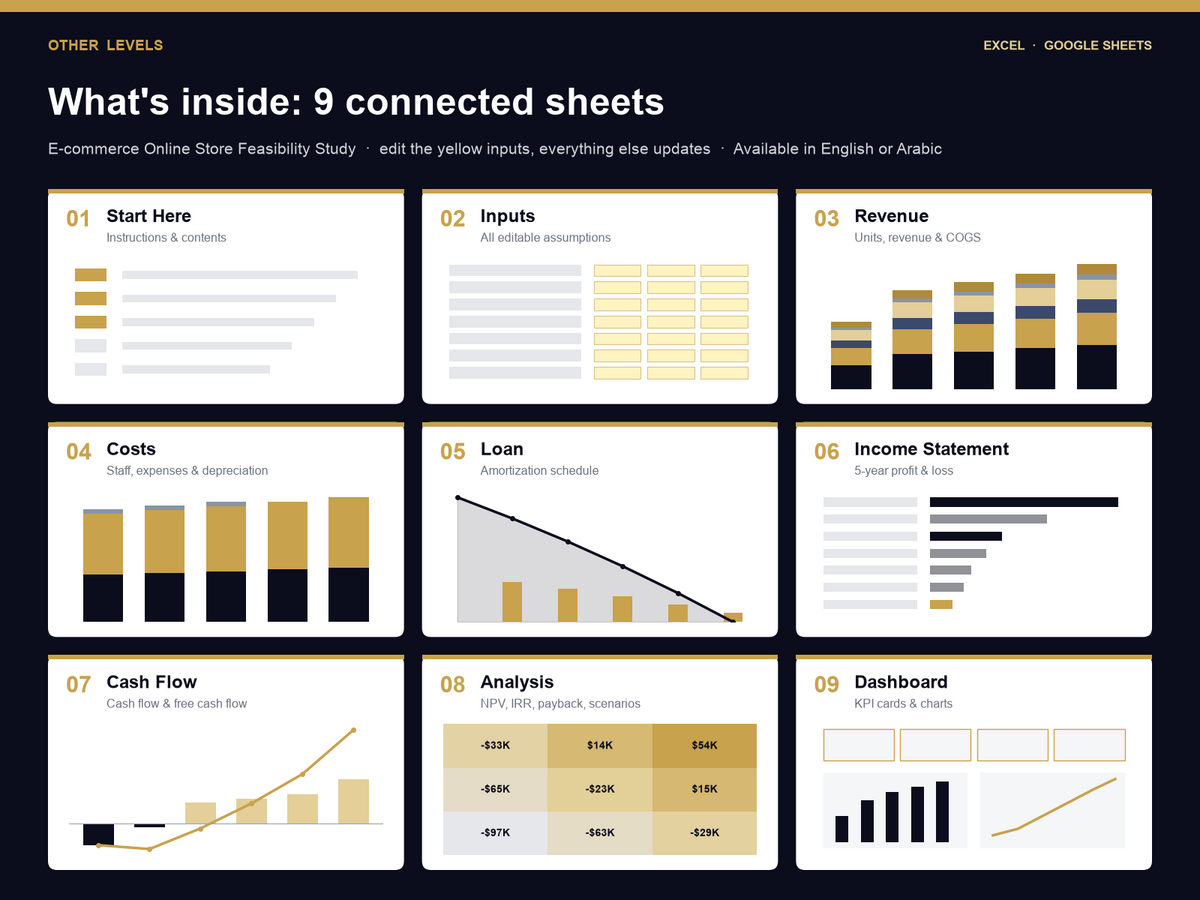
What's inside
- Start Here – short guide and contents
- Inputs – general assumptions, financing, revenue streams, start-up costs (CapEx), monthly expenses and staff
- Revenue – 5-year sales forecast with year-1 ramp-up, price increases and growth
- Costs – salaries, operating expenses and depreciation
- Loan – amortization schedule (interest, principal, balance)
- Income Statement – gross profit, EBITDA, net profit and margins
- Cash Flow – year-0 investment, yearly and cumulative cash
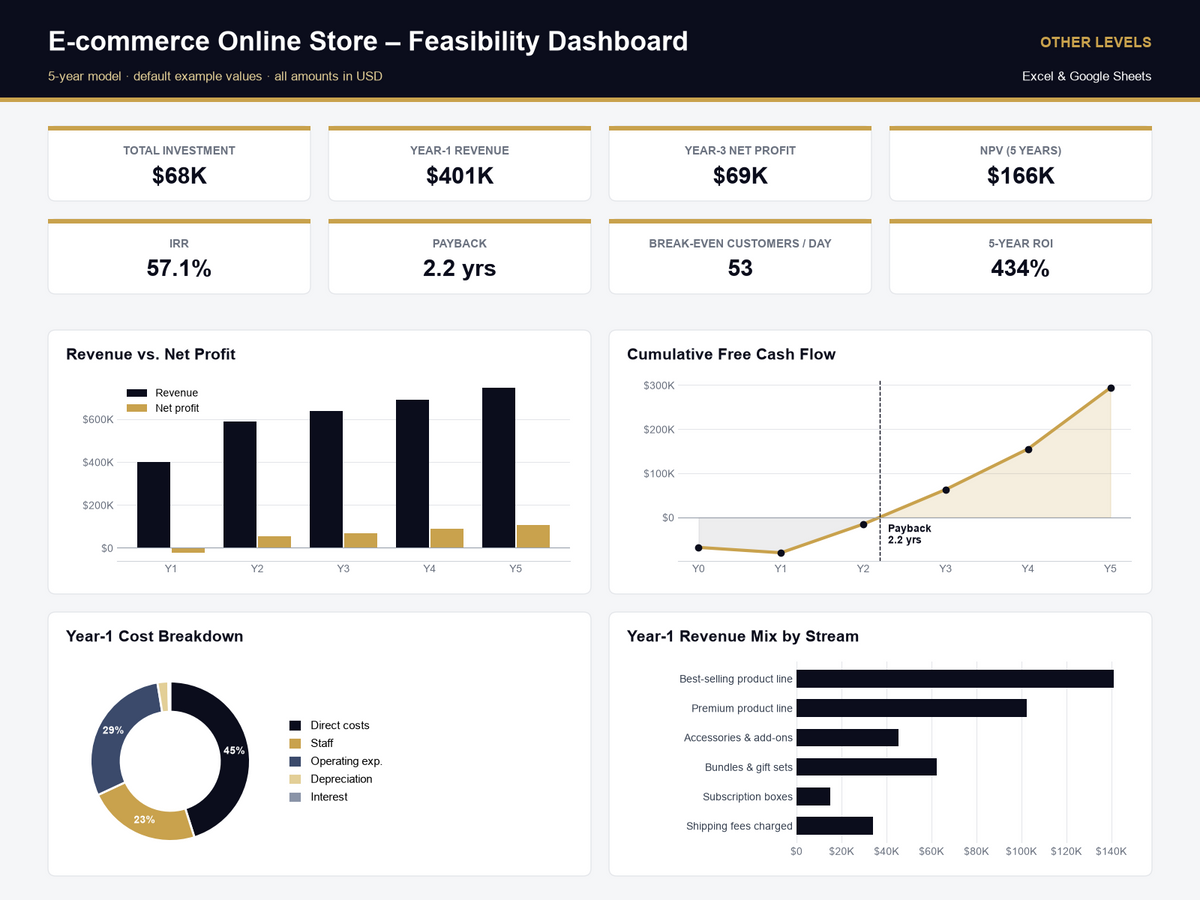
- Analysis – NPV, IRR, payback period, ROI, break-even (sales per month and customers per day) and a price × volume scenario grid
- Dashboard – KPI cards and charts ready for a bank, partner or investor presentation
Why buyers choose it
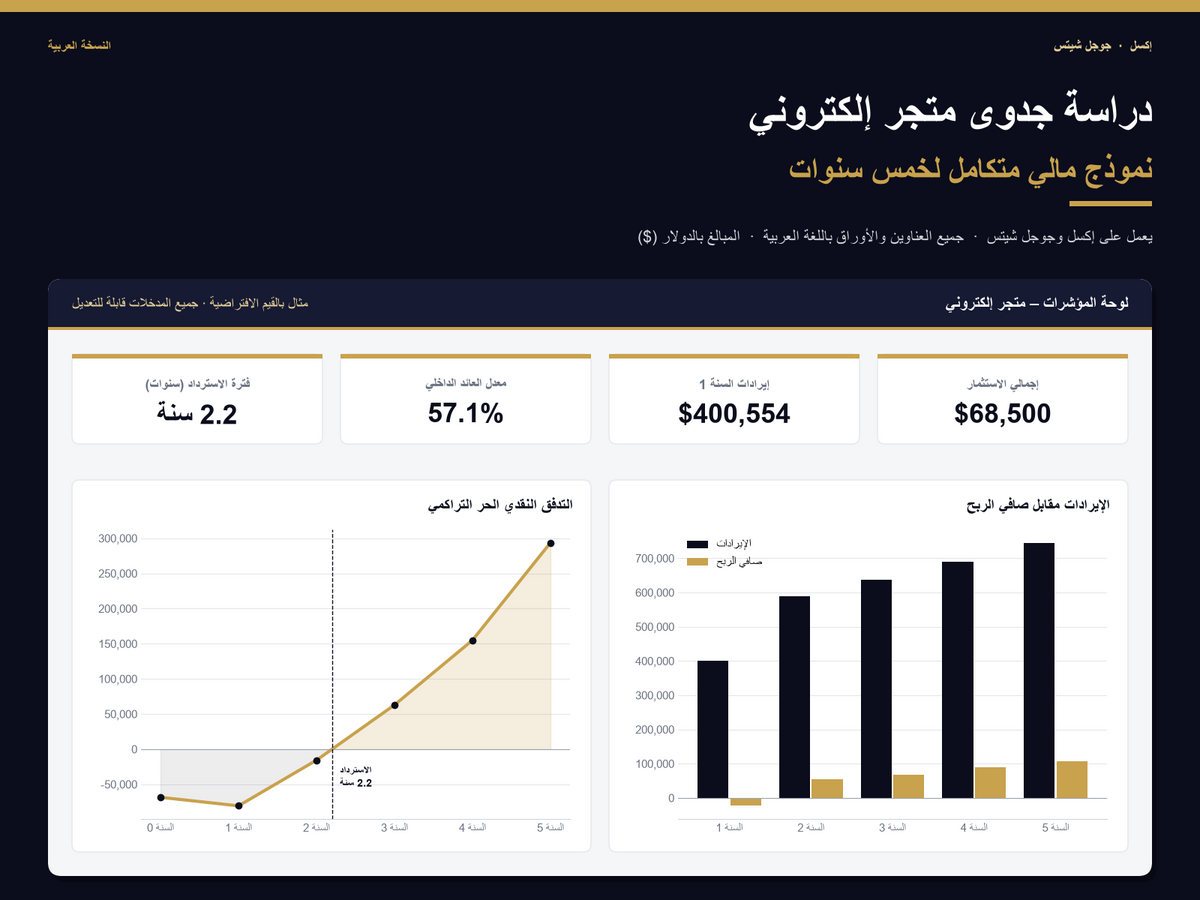
- Choose your language: English or Arabic version (the Arabic file is fully right-to-left)
- Opens in Microsoft Excel and Google Sheets – no macros, no add-ons
- Formula-driven: edit inputs only, everything else is calculated
- Built-in checks so the cash flow and loan always reconcile
- Instant digital download after purchase
The example figures are editable estimates for planning, not financial advice. Replace them with quotes and prices from your own market.
FAQ
Can I use it as a ecommerce business plan in Excel? Yes – it works as a online store feasibility study and a 5-year ecommerce financial model: you get a full breakdown of online store startup costs, revenue and profit forecasts, cash flow, NPV, IRR, payback and break-even in one Excel file.
Can I use it in Google Sheets? Yes. Upload the .xlsx to Google Drive and open it with Google Sheets – all formulas work.
Can I change the currency and numbers? Yes. Every assumption is an editable input, and the currency label can be SAR, AED, EGP, EUR or any other.
Related templates
- Supermarket - Mini Market Feasibility Study
- Beauty Salon & Barbershop Feasibility Study
- Coffee Shop Feasibility Study
- All 10 feasibility studies bundle – save when you need more than one
- Browse all feasibility study templates
- Financial dashboard templates in Excel – track the business after launch
- Custom dashboard service – we build a dashboard or model around your own data
Specifications
Get all essential details in one place. From features and package contents to software compatibility and skill level required, this section gives you a clear overview so you know exactly what to expect before download.
FAQs
Please read our FAQs page to find out more.
Are the templates fully customizable?
Yes, all our templates are fully customizable. You can adjust the layout, data, and design elements to fit your specific needs. Our templates are designed to be flexible, allowing you to easily tailor them to your preferences.
Can I order a product in any language?
Yes, we provide products in any language. Simply select the "Dashboard language change" Service and once your order is placed, you will receive it within 48 hours.
What happens if I choose the wrong monitor screen size for my dashboard?
If you choose the wrong screen size, the dashboard may not display correctly on your monitor. Elements could appear too large, too small, or misaligned, affecting the readability and usability of the dashboard. We recommend selecting the appropriate screen size to ensure optimal viewing and performance.
Do I need specific skills to use the advanced Excel dashboard templates?
Our advanced Excel dashboards are easy to use, the only thing you need to know is how to work with PivotTables. With basic knowledge of PivotTables, you'll be able to customize and fully utilize these templates effortlessly. "Please check the skill level required"
All dashboards are 100% editable Excel files. Learn how to use them through our video tutorials, included datasets, and lifetime access program.