

Customer Satisfaction Score and SLA metrics Excel Dashboard
Customer Satisfaction Score and SLA Metrics Excel Dashboard
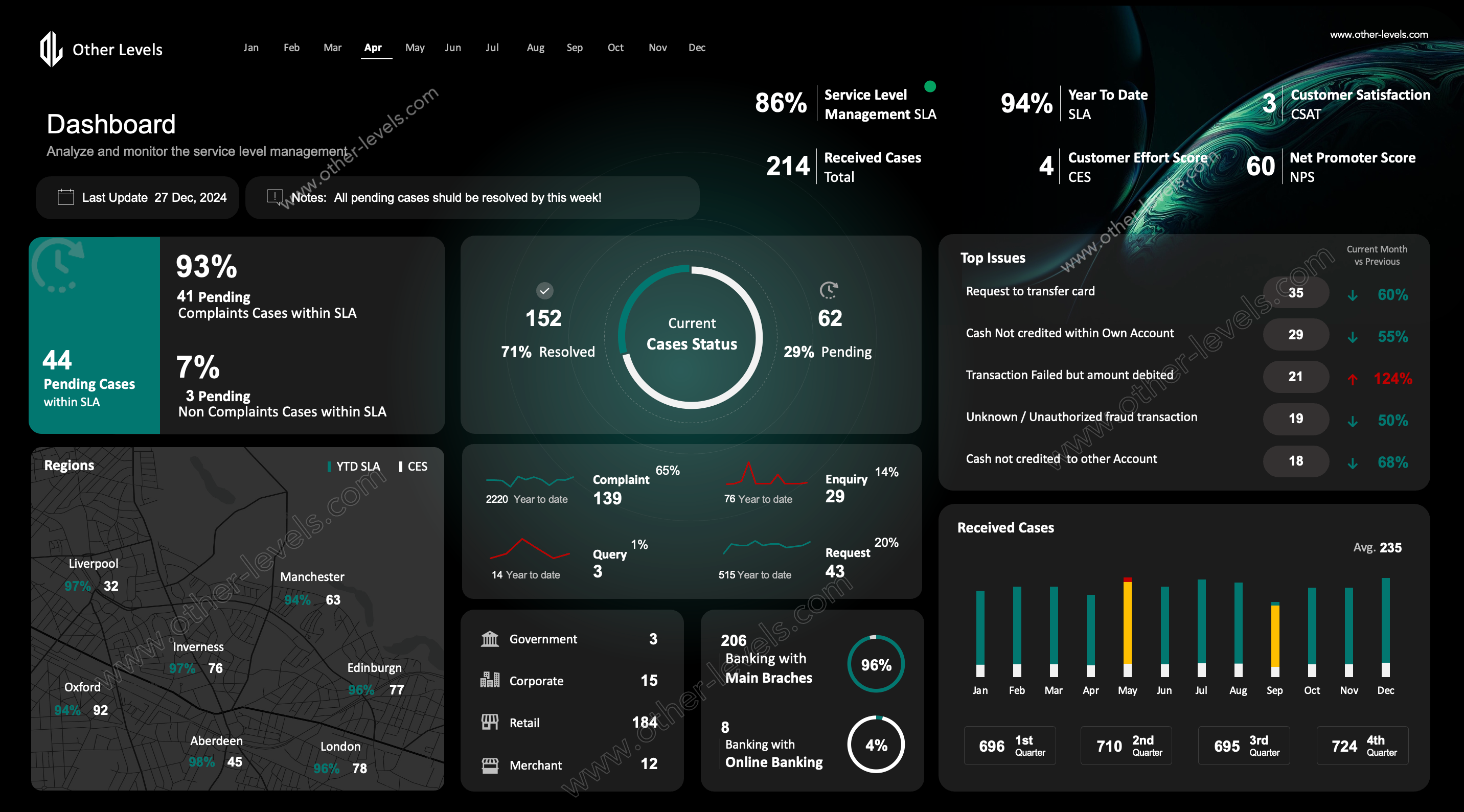
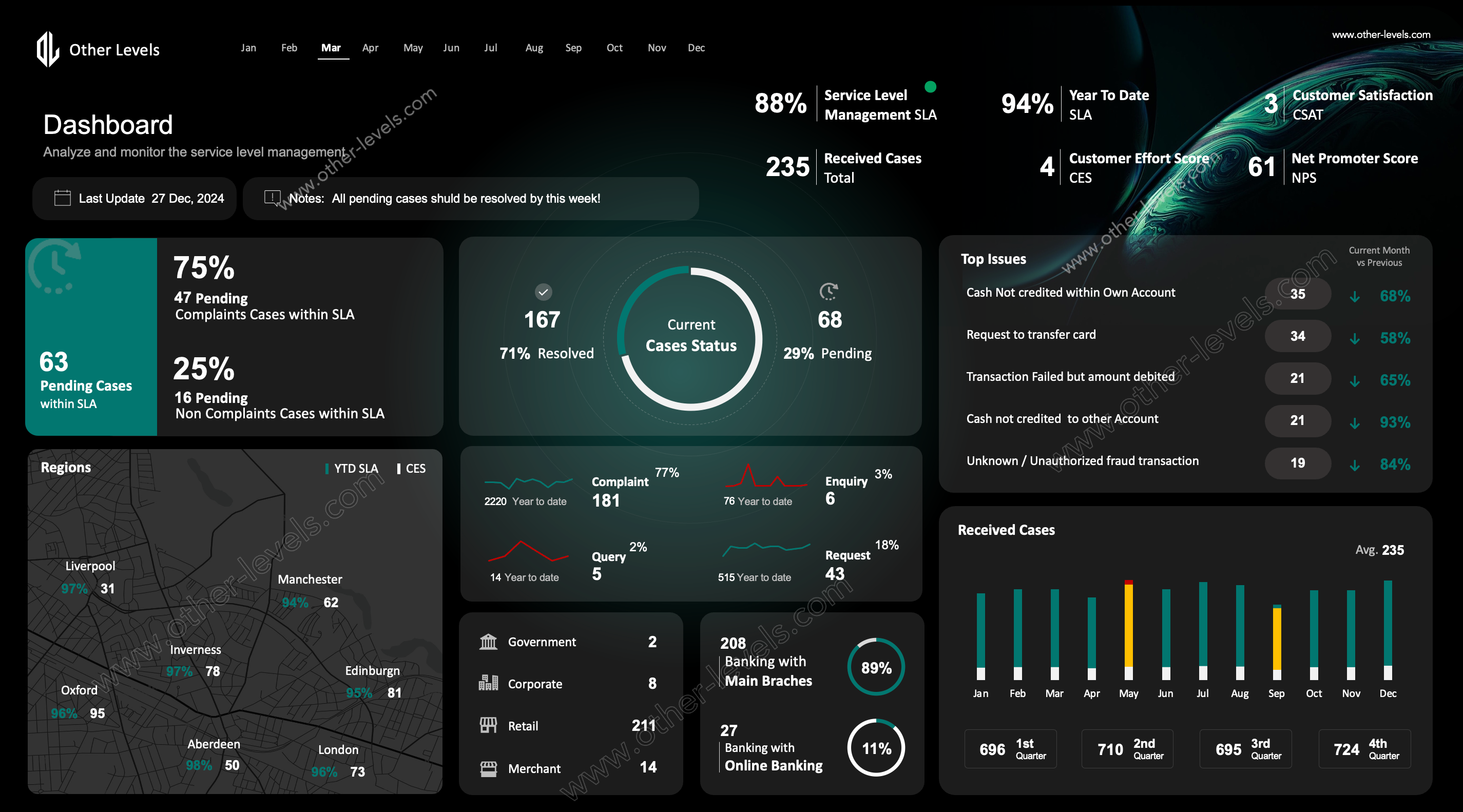
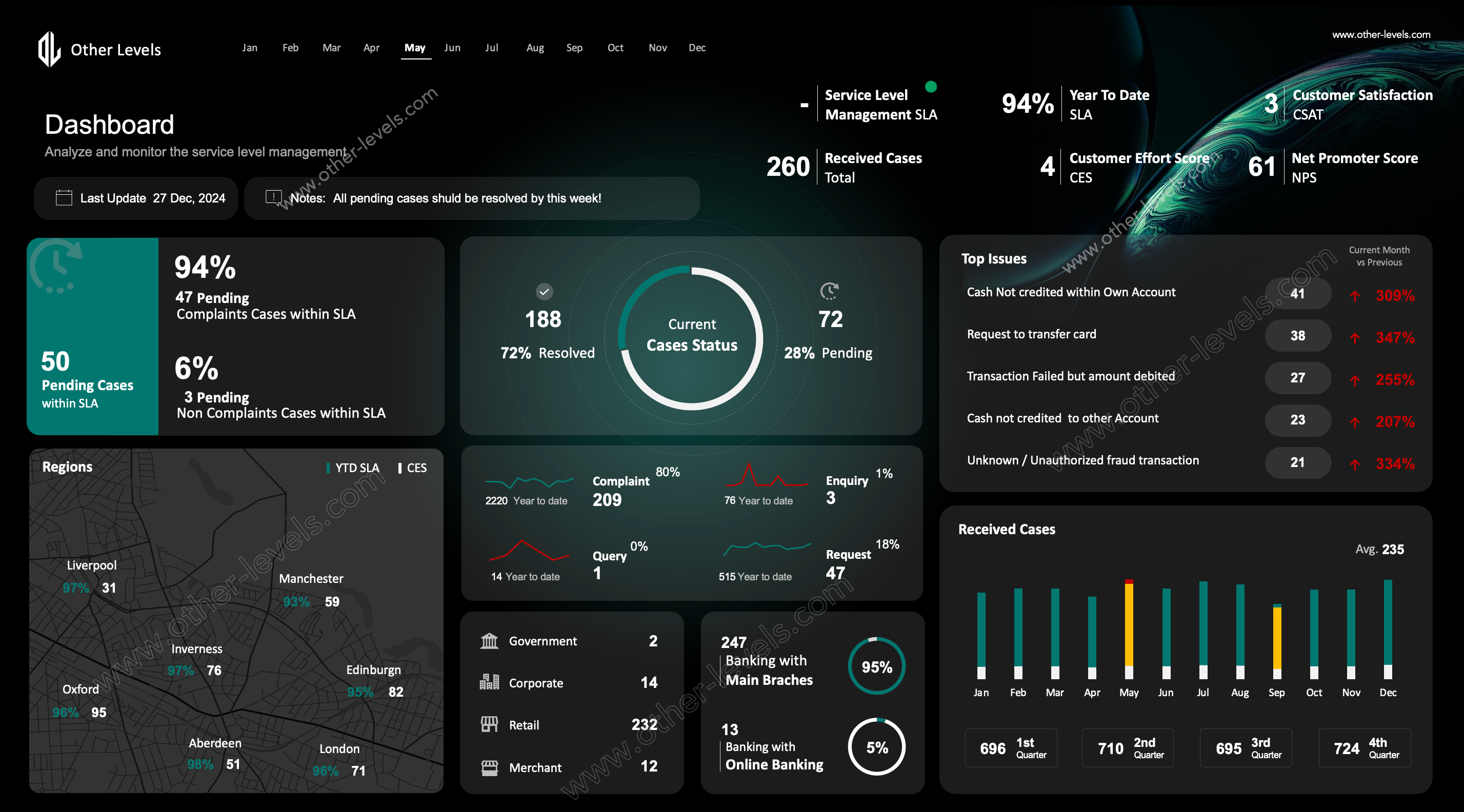
Here’s the reality—managing service level management can get messy fast. That’s exactly why this Service Level Agreement Excel Dashboard exists. It gives you a clear, practical view of how your service sla is performing, all from one screen. Think of it as a simple command center for managed services—easy to read, easy to update, and easy to act on.
What This Dashboard Covers
You’ll quickly notice this dashboard isn’t just about numbers. It tells the full story behind your sla performance. You can immediately spot resolved versus pending cases, identify pressure areas, and understand how service quality is trending. At the same time, it tracks customer satisfaction score (csat), effort levels, and advocacy signals—so nothing important slips through.
- Clear snapshot of sla metrics such as compliance and case status.
- Visual comparison of resolved and pending cases.
- Customer experience indicators that go beyond ticket counts.
- Regional and branch-level performance to guide priorities.
Charts & Visuals That Make Sense
Instead of digging through raw data, you work with visuals that are easy to understand and quick to interpret:
- KPI Cards showing SLA %, pending share, and csat.
- Donut / Gauge Chart for current case status at a glance.
- Line Charts to track trends in complaints, enquiries, and requests.
- Map Chart highlighting regional SLA performance.
- Column Charts for monthly and quarterly received cases.
- Top Issues Table with directional arrows to flag improvements or risks.
Interactive Features
In practice, this dashboard is meant to be explored. Use filters and slicers to switch between regions, months, or case types in seconds. Conditional formatting helps you catch SLA risks early. And the notes section? It’s perfect for reminders like “resolve all pending cases this week.” Simple tools, real impact.
Spreadsheet Workflow
The workflow stays clean and familiar. Drop your data into the source table, refresh, and everything updates automatically. The structure is pivot-ready and easy to maintain. If needed, it can also connect with excel format for expense reports or help explain how service delays affect financial performance.
Understanding SLA
Quick context matters. Sla meaning is the promise you make to your customers. Sla meaning business is how that promise builds trust and accountability. And when defined as sla in contract, this dashboard helps you monitor those commitments clearly and consistently.
Who Should Use It
This template is ideal for teams handling customer service management, running managed services, or reporting on sla metrics. It turns complex service data into insights you can actually use.
Who Should Use It
If you’re managing customer service management teams, running managed services, or reporting on sla metrics, this template is built for you. It makes reporting less about raw data and more about insights you can act on.
How to Get Started
- Paste your case data—dates, regions, case types, and status—into the table.
- Refresh the dashboard. Done. All visuals update instantly.
- Use slicers to drill into months, branches, or specific case types.
- Check the Top Issues list to know what really matters right now.
- Write quick notes to stay on track with your service level management goals.
Related Dashboards You’ll Like
Want to go deeper? Pair this with the Services Requests Management Power BI Dashboard Template to manage requests end-to-end. Or check out the Service Level Management Overview Excel Dashboard SLA for a broader SLA view. Together, they give you everything you need to track, analyze, and improve.
Final Note
This isn’t just another sla dashboard. It’s a tool that makes your service sla commitments real. It surfaces the gaps before they become problems. And it helps you run managed services with confidence, clarity, and accountability.
Watch the Tutorial
Service Level Agreement Excel Dashboard tutorial on YouTube
Watch the full tutorial on our Other Levels YouTube Channel
Specifications
Get all essential details in one place. From features and package contents to software compatibility and skill level required, this section gives you a clear overview so you know exactly what to expect before download.
Template Features
Package Details
Software Compatibility
Skill Level Required
Beginner
FAQs
Please read our FAQs page to find out more.
Are the templates fully customizable?
Yes, all our templates are fully customizable. You can adjust the layout, data, and design elements to fit your specific needs. Our templates are designed to be flexible, allowing you to easily tailor them to your preferences.
Can I order a product in any language?
Yes, we provide products in any language. Simply select the "Dashboard language change" Service and once your order is placed, you will receive it within 48 hours.
What happens if I choose the wrong monitor screen size for my dashboard?
If you choose the wrong screen size, the dashboard may not display correctly on your monitor. Elements could appear too large, too small, or misaligned, affecting the readability and usability of the dashboard. We recommend selecting the appropriate screen size to ensure optimal viewing and performance.
Do I need specific skills to use the advanced Excel dashboard templates?
Our advanced Excel dashboards are easy to use, the only thing you need to know is how to work with PivotTables. With basic knowledge of PivotTables, you'll be able to customize and fully utilize these templates effortlessly. "Please check the skill level required"
All dashboards are 100% editable Excel files. Learn how to use them through our video tutorials, included datasets, and lifetime access program.